








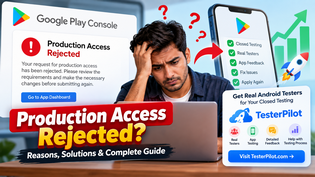
If you have submitted your Android app for Google Play production access and received the message “Production Access Rejected”, you are not alone. Many developers face this issue when trying to move their app from closed testing to production.
Google Play may reject a production access request when the app or testing process does not provide enough evidence that the app has been properly tested with real users.
The good news is that a rejected production access request does not necessarily mean your app is permanently rejected. You can review the testing requirements, improve your testing process, collect meaningful feedback, make necessary changes, and submit the request again when eligible.
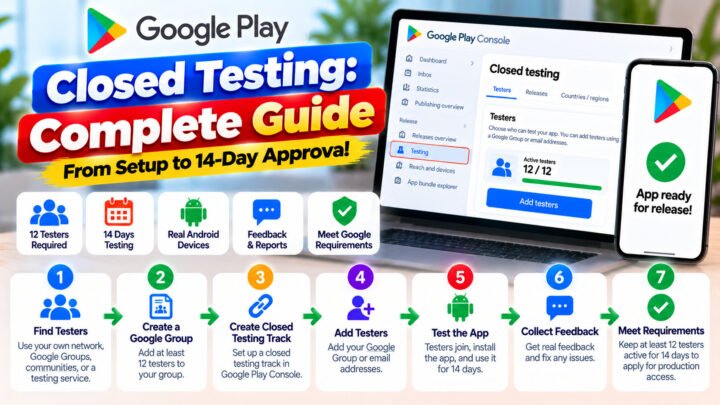
In this guide, we will explain what Production Access Rejected means, common reasons for rejection, what you should check before applying again, and how developers can organize a proper closed testing process.
What Does “Production Access Rejected” Mean?
Production Access Rejected generally means Google Play did not approve your request to make the app available in production at that time.
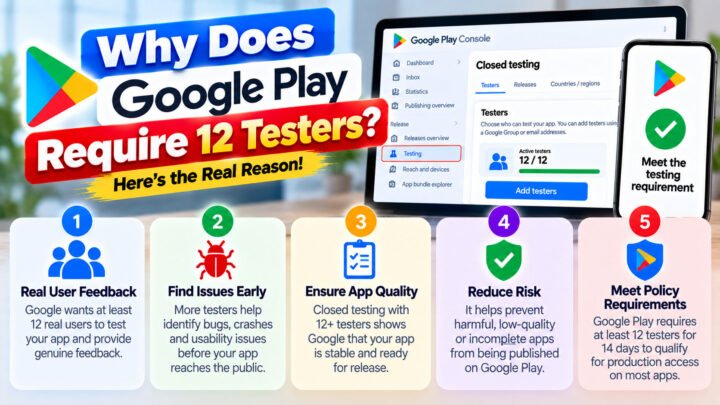
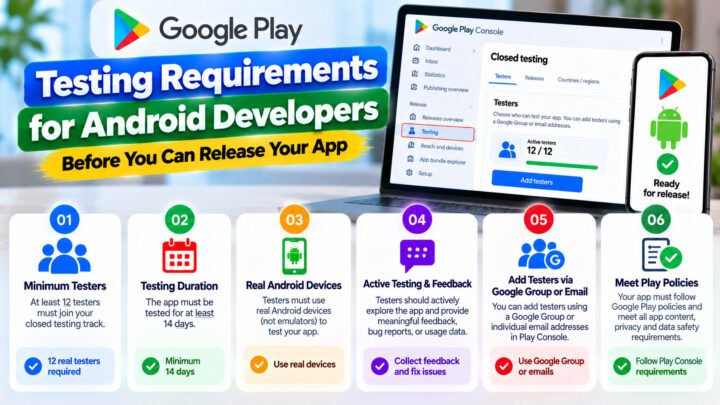
For certain developer accounts, Google Play requires developers to complete a closed testing period before requesting production access.
During this process, Google expects developers to test their application with real testers and use the testing period to identify and fix problems before making the application publicly available.
A rejection does not necessarily mean there is a technical problem with your APK or AAB.
The issue can be related to the testing process, tester participation, app quality, feedback, or the information provided in the production access request.
Why Was My Production Access Request Rejected?
There can be different reasons for a production access request to be rejected. Google does not necessarily provide a detailed explanation for every individual rejection.
Some common areas developers should review include the following.
1. The Closed Testing Was Not Completed Properly
One of the first things to check is whether your app completed the required closed testing period.
Simply adding testers is not the same as conducting an effective testing process.
Your testers should actually install and use the application during the testing period.
Developers should therefore avoid treating closed testing as a simple formality.
2. Not Enough Meaningful Tester Activity
Having testers listed in the testing track does not automatically mean the application received meaningful testing.
Real testing should involve people installing the app, opening it, using important features, and reporting problems or providing feedback.
For example, if your application is a task management app, testers could test:
Account registration
Login
Creating tasks
Editing tasks
Notifications
Data synchronization
Settings
App navigation
Testing should be relevant to the actual functionality of the application.
3. Testers Did Not Properly Use the App
Another area developers should consider is tester engagement.
If testers install the application but never meaningfully use it, the testing process may not provide useful evidence about the application’s quality.
A better testing process involves real users interacting with the application’s important features and reporting issues when they find them.
What Should You Do After Production Access Is Rejected?
If your production access request has been rejected, don’t immediately create another application or try to bypass the testing process.
Instead, review your testing process carefully.
Step 1: Review Your Closed Testing Track
Check:
Testing track status
Tester enrollment
Number of testers
Testing duration
Installation activity
App version being tested
Tester feedback
Make sure everything is configured correctly.
Step 2: Make Sure You Are Testing the Correct App Version
Your testers should be testing the actual application version that you want to move toward production.
If you make significant changes to the app, consider whether additional testing is appropriate before requesting production access again.
Step 3: Test Important Features
Ask testers to use the application naturally.
Depending on your app, testing may include:
- Sign up
- Login
- Main features
- Forms
- Payments, if applicable
- Notifications
- Search
- Offline behavior
- Network errors
- Different Android devices
- Different screen sizes
- App permissions
- Performance
- Crash scenarios
The exact testing process should depend on what your application actually does.
How Long Should You Test Before Applying Again?
Do not treat the testing period simply as a countdown.
The purpose of testing is to discover problems and improve the application before production.
Developers should follow the current requirements displayed in their own Google Play Console because Google can change its policies and eligibility requirements.
Before submitting another production access request, make sure the testing requirement shown in your Play Console has been satisfied.
What Kind of Feedback Should Testers Provide?
Useful tester feedback is specific and related to actual app usage.
For example:
“The login button does not respond when the internet connection is unstable.”
is more useful than:
“Everything is good.”
Testers can report:
- Bugs
- UI problems
- Crashes
- Slow loading
- Broken links
- Incorrect text
- Navigation problems
- Feature usability problems
- Device-specific issues
Developers can then use this information to improve the application.
Need Real Android Testers for Your Closed Testing?
If you are having difficulty organizing a proper closed testing group, TesterPilot provides Android app testing support for developers preparing their applications for Google Play.
TesterPilot Closed Testing Service
With TesterPilot, developers can arrange a group of Android testers to install and test their application during the closed testing process.
The testing service can be useful when you need help organizing testers for your Android application.
- What the service can include
- Real Android device testing
- Closed testing participation
- App installation
- Testing of major app features
- Tester feedback
- Basic issue reporting
- Testing summaries
The exact service package and testing requirements should be confirmed before placing an order.
Important
No third-party testing service can guarantee that Google Play will approve production access.
Google makes the final decision based on its own policies, review systems, and the information associated with your application and developer account.
The purpose of a testing service is to help you conduct an organized and genuine testing process—not to guarantee approval.
How TesterPilot Can Help With Closed Testing
Organizing testers manually can be difficult, especially for independent developers.
You may need to:
- Find testers
- Send them the testing link
- Explain how to join
- Make sure they install the app
- Ask them to test important features
- Collect feedback
- Track problems
- Maintain communication with testers
A dedicated tester group can make this process easier to manage.
With TesterPilot, you can request closed testing support for your Android application and organize testers for the required testing process.
Get started: TesterPilot.com
Production Access Rejected: What You Should Not Do
If your request was rejected, avoid shortcuts that could create additional problems.
Don’t:
- Use fake or automated accounts
- Buy fake reviews
- Generate artificial app activity
- Misrepresent testing results
- Submit misleading information
- Create multiple developer accounts to bypass restrictions
- Assume that simply having testers guarantees approval
Instead, focus on genuine testing and improving the application.
Production Access Checklist
Before submitting your production access request again, review this checklist.
App
- App is functional
- Major features work correctly
- No major crashes
- App information is accurate
- Store listing is complete
- Privacy policy is available where required
- Data safety information is accurate
Closed Testing
- Required testing period completed
- Required testers enrolled
- Testers have access to the app
- Testers actually use the application
- Important features have been tested
- Feedback has been collected
- Major problems have been fixed
Production Access Request
- Testing requirements shown in Play Console are satisfied
- Answers in the production access questionnaire are accurate
- Testing information is truthful
- App is ready for a wider audience
Frequently Asked Questions
What does Production Access Rejected mean?
It means Google Play did not approve your request for production access at that time. You should review the testing requirements and the information provided in your request before trying again.
Can I apply for production access again?
If Google Play allows you to submit another request, you can do so after addressing the relevant issues and completing the required testing process.
Does having 12 testers guarantee production access?
No. Having a specific number of testers does not guarantee approval. Google makes the final decision.
Can TesterPilot guarantee Google Play approval?
No. TesterPilot can provide testing support, but Google Play independently decides whether an application receives production access.
Do testers need real Android devices?
For meaningful device testing, real Android devices can be useful because they allow developers to identify device-specific issues that may not appear on emulators.
Should I change my app after a production access rejection?
If testing identifies bugs or usability problems, fixing those issues before submitting another request is a sensible part of the development process.
Final Thoughts
Receiving “Production Access Rejected” can be frustrating, but developers should treat the testing process as an opportunity to improve their application rather than simply as a requirement to complete.
Review your closed testing setup, make sure testers are genuinely using the app, collect useful feedback, fix important problems, and carefully complete the production access request.
If you need help organizing Android testers for your closed testing process, you can learn more about the testing service at TesterPilot.
Visit TesterPilot.com
Remember: Testing support can help you organize the testing process, but production access approval is ultimately determined by Google Play.