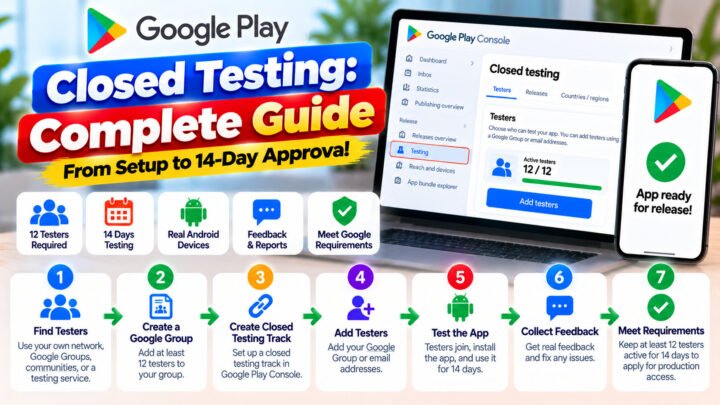









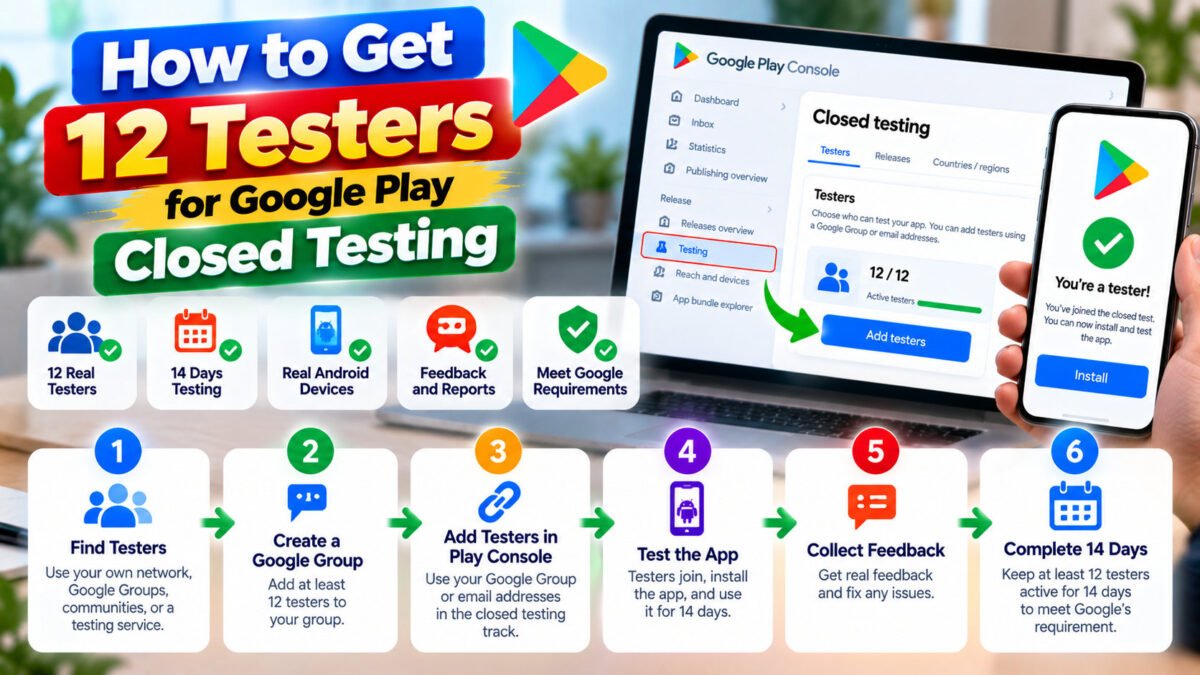
If you publish Android apps on a personal Google Play developer account, you have met the wall: before Google will let you publish to production, your app has to sit in closed testing with at least 12 testers opted in for 14 consecutive days.
It sounds simple. In practice, most first-time publishers lose weeks to the same three problems — not enough testers, testers who quietly drop out, and a 14-day counter that resets to zero because the number fell to 11.
This guide is the process we use for every campaign at TesterPilot, written down in order. It covers what the requirement actually is, the three realistic ways to get testers, and the mistakes that cost people their two weeks.
What Google actually requires
Since 13 November 2023, personal (individual) developer accounts have to meet a testing requirement before production access is granted. In the Play Console this appears as a locked Apply for production access step on your Closed testing track.
The requirement is a specific combination:
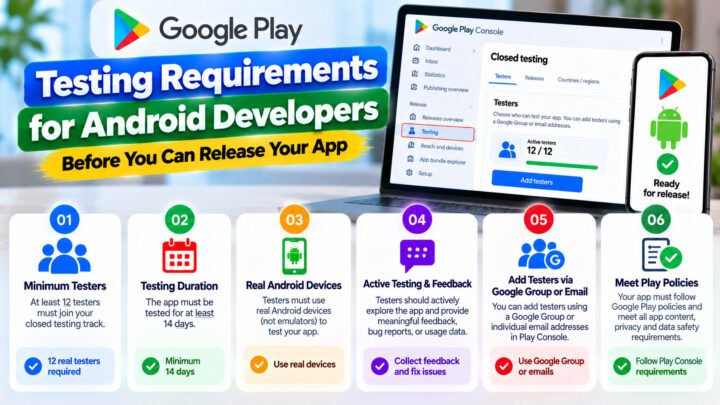
- At least 12 testers opted in to your closed test.
- 14 consecutive days with at least 12 testers opted in.
Both numbers matter. Ten testers for 40 days does not count. Twelve testers for 9 days does not count. If your opted-in count drops below 12 at any point, the consecutive-day counter starts again from that moment.
Internal testing does not satisfy this requirement. Only the Closed testing track counts toward the 12-tester, 14-day gate.
An important detail that catches people out: the day counter is not about how long the app has existed in testing. It is about consecutive days with a sufficient number of opted-in testers — which is why dropouts are so expensive.
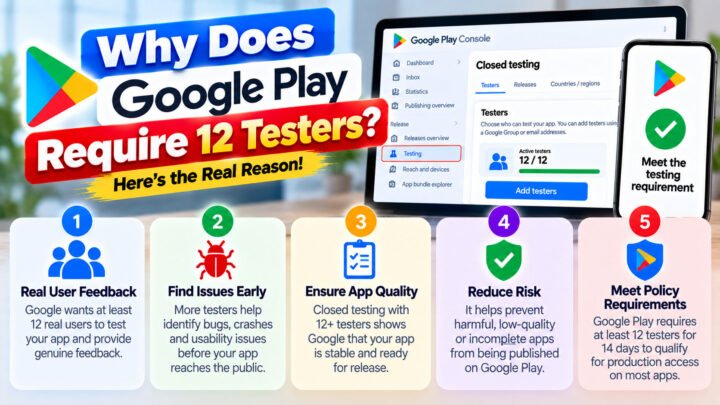
Why 12 testers and 14 days?
Google’s stated reasoning is quality control. A handful of installs on one developer’s phone proves nothing about crash rate, device compatibility or retention, and the two-week window is what surfaces the problems that only appear after regular use: battery drain, memory leaks, broken notification flows, sign-in failures on specific OEM builds.
That matters for you beyond the policy. The reviewers who look at your production access request can see engagement signals. A test that technically hit the numbers but produced no feedback, no fixes and no usage activity is exactly the pattern Google is trying to filter out. The companies that get approved smoothly are the ones that treat the 14 days as a real test, not a formality.
Option 1 — Friends, colleagues and communities
This is where most developers start, and it can work if your personal network is wide enough. You need 12 people who:
- have a Google account that is not already your own,
- have a real Android device (emulators do not count),
- will accept the opt-in link, install the app from the Play Store, and stay opted in for two weeks.
Recruit more than 12 — 15 to 20 if you can. The reason is simple arithmetic: in any two-week window, some percentage of testers will disappear. A phone gets replaced, an account gets forgotten, someone uninstalls because a build was broken. With exactly 12, the first departure costs you the whole clock.
Where to look: colleagues, classmates, developer Slack and Discord communities, Reddit threads for Android developers, and local meetups. Posting “I’ll test yours if you test mine” in a tester-exchange thread works — with caveats.
Option 2 — Tester-exchange communities
Tester exchanges are places where developers trade installs. They are free, and they can absolutely get you to 12.
The failure mode is well known: exchange testers opt in, install once, and never open the app again. Google can see that pattern. Beyond the risk to your production access request, exchange members frequently drop out mid-window, and you have no way to chase them.
If you go this route, treat it as a numbers game: over-recruit aggressively, message every tester a few days in, and keep a spreadsheet of who is still opted in. Budget two extra weeks for the inevitable reset.
Option 3 — A closed testing service
Paid testing services supply real testers who opt in, install from Play, and stay opted in for the whole window — which is exactly the failure point of the free routes. You hand over your testing link, the campaign runs for 14 days, and you get progress reporting plus a testing report at the end.
This is what TesterPilot does. The trade-off is obvious: it costs money, and you are relying on the provider to actually maintain the numbers. Check that a provider monitors the streak daily and guarantees a retest if Google rejects the production request — a service that drops to 11 testers on day 9 and walks away is worse than doing it yourself.
The mistakes that reset your 14-day clock
These are the patterns we see over and over:
- Starting with exactly 12 testers. One dropout and you are back to day zero.
- Testers who never install. An invite accepted but never installed may not register as a test.
- Fake or duplicated accounts. Google detects them, and they can invalidate the whole test rather than just one tester.
- Emulators. Not real devices, not valid testers.
- Letting the test go stale. No builds, no updates, no engagement for two weeks reads as an abandoned test.
- Applying too early. The button may be visible before the requirement is satisfied; applying anyway burns a review cycle.
A pre-flight checklist before day one
- Your AAB is uploaded to the Closed testing track and the track has testers assigned.
- Your store listing is complete: title, short description, full description, at least 3 screenshots and a feature graphic. Incomplete listings are a common rejection reason at the production-access stage.
- Your opt-in link is copied and tested on a device that is not yours.
- You have 15–20 testers lined up, not 12.
- You know who tracks the daily opted-in count. If it is you, put a reminder in your calendar for every single day of the window.
Where to go next
If you are just starting, read the complete guide to Google Play closed testing first, then how to add testers in Play Console and what the 14-day requirement really measures. When the window closes, this is how to apply for production access.
Need 12 testers for your Google Play closed test? TesterPilot runs the full 14 days with real testers on real devices, tracked daily, with a written testing report at the end. Or message us on WhatsApp and we will tell you honestly whether your app is ready to start.