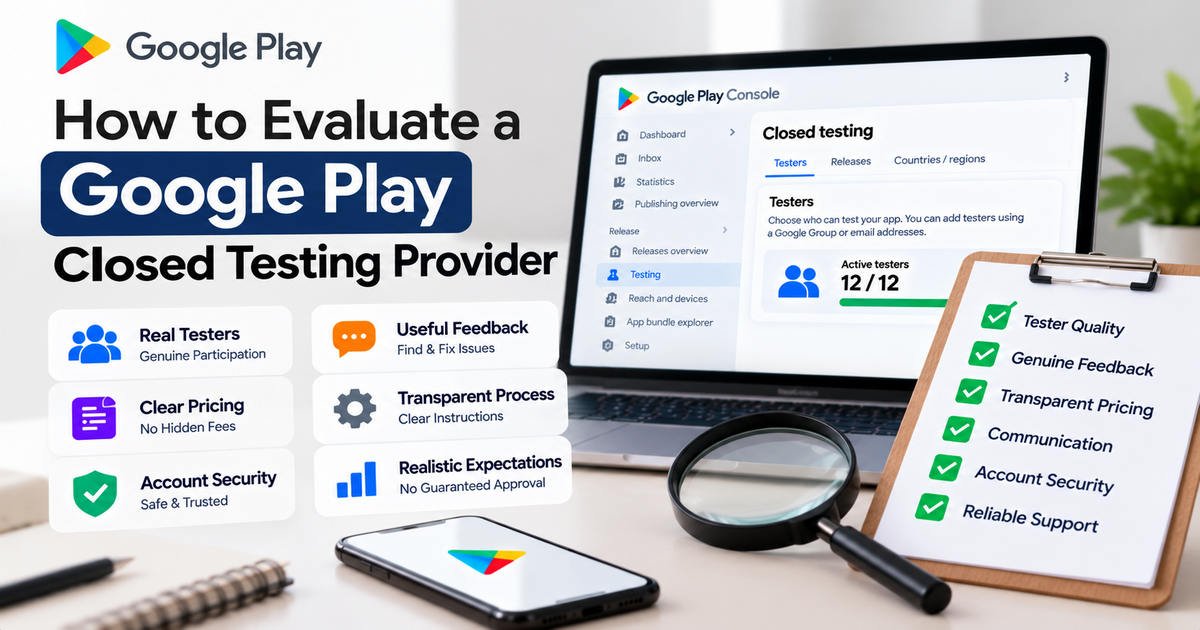
Choosing the right Google Play closed testing provider can make the app testing process easier to manage. However, not every provider offers the same level of support, tester participation, communication, or feedback quality.
If you are preparing to publish an Android app, you may be comparing different testing services to find one that fits your budget and requirements. Before placing an order, it is important to understand what a provider actually offers, how testers participate, and whether the service supports genuine testing.
In this guide, you will learn how to evaluate a Google Play closed testing provider, which questions to ask before purchasing, how to recognize warning signs, and what to consider when choosing testing support for your Android app.
What Is a Google Play Closed Testing Provider?
A Google Play closed testing provider is a company, service, or individual that helps Android developers organize some or all of the activities involved in closed testing.
Depending on the provider, the service may include:
- Tester recruitment or coordination.
- Guidance on configuring a closed testing track.
- Help with tester invitations and opt-in instructions.
- Communication during the testing period.
- Feedback collection and organization.
- General guidance on preparing for production access.
The exact scope varies from one provider to another. Some focus primarily on coordinating testers, while others offer additional technical guidance or feedback management.
A provider does not replace Google Play Console or control Google’s production access decision. You should understand the service’s limitations before purchasing.
Why Is It Important to Evaluate a Closed Testing Provider?
Evaluating a provider before paying helps you make a more informed decision and avoid unnecessary problems.
1. To understand what you are paying for
A package advertised as a closed testing service may include only tester coordination, while another may offer communication, feedback collection, and setup assistance.
Comparing the actual deliverables helps you determine which service best matches your needs.
2. To encourage genuine testing
The purpose of closed testing is to evaluate your app before a wider release. Testers should have an opportunity to explore the app and provide honest feedback.
A provider that explains how testing participation and feedback are handled gives you a clearer understanding of the process.
3. To avoid misleading promises
No third-party provider can guarantee that Google will approve your production access application.
A provider should explain what it can deliver without claiming to control Google’s review decisions.
4. To protect your developer account
Your Google Play Console account contains important information about your apps and releases. Evaluating a provider’s security practices helps you avoid unnecessary account-access risks.
5. To manage your budget
A low price may be attractive, but it is not useful if the package lacks the support you need. Comparing services, terms, and communication arrangements can help you assess value rather than price alone.
10 Factors to Evaluate Before Choosing a Google Play Closed Testing Provider
Use the following criteria when comparing providers.
1. Check the provider’s service details
Start by reading the service description carefully.
Look for clear information about:
- The number of testers included.
- The testing period.
- Tester coordination and onboarding.
- Feedback collection.
- Communication and technical support.
- Replacement terms, if applicable.
- Any additional charges or limitations.
Do not assume that every advertised feature is included in the package. If something is unclear, ask the provider before placing an order.
Evaluation tip: A provider should be able to explain what it delivers and what remains your responsibility as the app developer.
2. Evaluate how testers participate
The number of testers is only one part of a testing plan. It is also important to understand how participants are expected to engage with the app.
Ask questions such as:
- How are testers recruited or coordinated?
- Do they receive clear instructions?
- Are they encouraged to explore the app’s main features?
- Is there a process for reporting problems?
- How are participation issues handled?
A responsible testing process should encourage genuine participation rather than focusing only on reaching a numerical target.
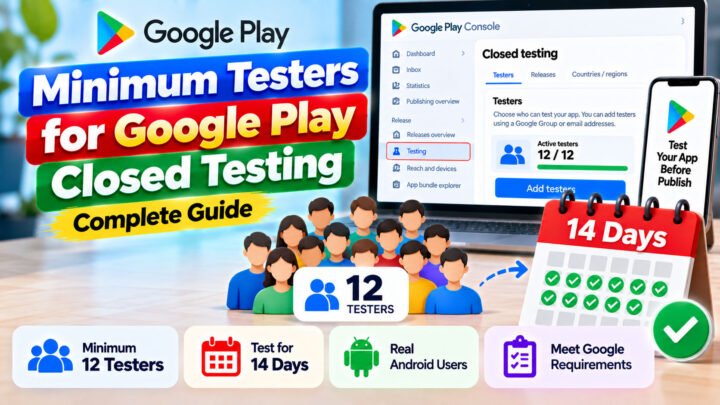
For eligible personal developer accounts created after November 13, 2023, Google requires at least 12 testers to remain opted into a closed test continuously for at least 14 days before applying for production access. Meeting this requirement does not automatically guarantee approval.
Read the official Google Play testing requirements before choosing a provider.
3. Review the quality of feedback
Feedback can help you identify bugs, confusing navigation, missing information, and other problems before your app becomes publicly available.
Ask the provider how feedback is collected and delivered.
Useful feedback may include:
- A description of the issue.
- The feature or screen involved.
- Steps that reproduce the problem.
- The expected and actual behavior.
- Screenshots or recordings when appropriate and safe to share.
Not every test needs to uncover a bug. Honest feedback confirming that a feature works as expected can also be useful.
Be cautious if a provider promises a large amount of feedback without explaining how testers will produce it.
4. Check the provider’s communication process
Clear communication can make the testing process easier to manage.
Before purchasing, find out:
- How you can contact the provider.
- When you can expect responses.
- How progress updates are delivered.
- Who handles tester access or installation problems.
- How delays or unexpected issues are communicated.
A provider should establish reasonable expectations instead of leaving you uncertain about the status of your project.
You do not necessarily need a provider that offers constant updates. You need one with a communication process that matches the service it advertises.
5. Compare pricing and package value
The price of a closed testing service can vary depending on the scope of support, tester coordination, communication, and feedback arrangements.
When comparing packages, consider the following:
| Evaluation factor | What to check |
|---|---|
| Price | Is the total cost clearly stated? |
| Tester coordination | Is recruitment or coordination included? |
| Testing period | What timeline does the package cover? |
| Feedback | Is feedback collection included? |
| Support | What assistance is available? |
| Extra charges | Are there additional fees or conditions? |
| Refund or replacement terms | Are the terms clearly explained? |
The cheapest service is not always the best value. Similarly, a more expensive service is not automatically more reliable.
Choose a package based on your requirements, the provider’s transparency, and the deliverables you can reasonably expect.
6. Examine reviews and reputation
Customer reviews can provide useful information about a provider’s communication, service delivery, and support.
Where possible, look for reviews on independent platforms rather than relying exclusively on testimonials published on the provider’s website.
Consider whether reviews describe specific experiences, such as clear instructions, responsive communication, or problems that were resolved.
Be cautious of claims that cannot be verified, and remember that reviews alone do not guarantee future results.
7. Review account security practices
A closed testing provider may need information about your app, testing track, or tester-management setup. That does not mean it automatically needs your Google account password.
Before sharing access or information, ask why it is necessary and whether a safer alternative is available.
Good practices include:
- Keeping control of your Google Play Console account.
- Never sharing passwords or authentication codes unnecessarily.
- Using appropriate permissions if access must be granted.
- Reviewing account permissions periodically.
- Removing access that is no longer required.
- Avoiding unnecessary disclosure of confidential app information.
A provider should respect your account security and explain its information-handling practices.
8. Understand the provider’s replacement and delay policies
Testing depends on people, technology, and the status of your app. Participants may encounter installation issues, become unavailable, or opt out.
Ask the provider how it handles these situations.
Clarify whether replacement coordination is included, how delays are communicated, and whether any additional costs may apply.
Do not assume that every provider offers free replacements or the same remedies. Review the actual terms before purchasing.
9. Check whether the provider makes realistic claims
One of the most important evaluation factors is whether the provider accurately describes what it can deliver.
Be cautious of claims such as:
- Guaranteed Google Play production access.
- Guaranteed approval regardless of app quality.
- Instant completion of a required testing period.
- Guaranteed results regardless of tester participation.
- Special methods to bypass Google’s requirements.
A provider can assist with coordination and testing support, but Google makes the production access decision.
The provider should also explain that the developer remains responsible for app quality, accurate application answers, and policy compliance.
10. Confirm that the service fits your app
A testing approach that works for one app may not be appropriate for another.
For example, a simple utility app may need testers to examine its main features, settings, and navigation. A shopping app may require testing of product search, account management, and checkout workflows where available.
Before selecting a provider, explain your app’s purpose and ask how the testing plan will accommodate its main features.
The provider should not need to promise a particular result to demonstrate that it understands your requirements.
Warning Signs of an Unreliable Closed Testing Provider
Consider these warning signs before making a decision.
Guaranteed approval promises
Google reviews production access applications. A third-party provider cannot guarantee the outcome.
Unclear pricing
If the provider does not explain the package scope, extra charges, or limitations, ask for clarification before paying.
No explanation of tester participation
A provider should be able to describe how participants receive instructions and how the testing process is coordinated.
No clear communication channel
If you cannot determine how to contact the provider or receive updates, it may be difficult to resolve problems.
Requests for unnecessary account credentials
Be cautious if a provider asks for passwords, authentication codes, or broad account access without a clear reason.
Pressure to purchase immediately
A reliable provider should allow you to understand the service terms and make an informed decision.
One warning sign does not automatically prove that a provider is fraudulent, but several warning signs together should prompt careful review.
Questions to Ask a Google Play Closed Testing Provider Before Ordering
Before purchasing, consider asking these questions:
- What exactly is included in the package?
- How are testers recruited or coordinated?
- What are testers expected to do during the test?
- Is feedback collection included?
- How are tester participation problems handled?
- What is the expected timeline?
- Are there any additional fees?
- What happens if the app or testing setup is delayed?
- What information or access do you need from me?
- Can you guarantee Google Play production access?
For the last question, the correct expectation is that no provider can guarantee Google’s production access decision. A responsible provider should explain its service limits honestly.
These questions help you compare providers based on practical details rather than marketing language alone.
How to Evaluate a Provider for the 12 Testers and 14 Days Requirement
If your personal developer account is subject to Google’s 12-testers and 14-days requirement, evaluate whether the provider understands the continuous opt-in rule.
For eligible personal accounts created after November 13, 2023, the required testers must remain opted into the closed test continuously for at least 14 days before the developer applies for production access.
When evaluating a provider, confirm that you understand:
- How testers receive the correct opt-in instructions.
- How participation is monitored or confirmed.
- What happens if a tester opts out.
- How the provider communicates participation issues.
- Whether the package covers the full intended testing period.
- What responsibilities remain with you.
Remember that the minimum tester count and opt-in duration are not the only considerations. Google may assess the testing activity and engagement and may require additional testing.
For official instructions, visit Google Play’s testing requirements.
Google Play Closed Testing Provider Evaluation Checklist
Use this checklist when comparing providers.
- The service description clearly explains what is included.
- Pricing and extra charges are transparent.
- Tester coordination is explained.
- The provider encourages genuine testing participation.
- Feedback arrangements are clear.
- Communication and support expectations are stated.
- Account-security practices are reasonable.
- Replacement, delay, and refund terms are documented where applicable.
- The provider does not guarantee Google’s approval.
- The service matches your app’s testing requirements.
You can use this checklist to compare two or more providers before making a decision.
Is a Paid Google Play Closed Testing Provider Necessary?
No. You can recruit testers yourself and manage your closed testing track through Google Play Console.
You may be able to find suitable participants through your personal network, developer communities, or people who match your app’s intended audience.
A paid provider may be useful if you need help coordinating participants, communicating instructions, or organizing feedback. Whether it is worthwhile depends on your budget, available time, and testing needs.
If you already have a suitable group of testers and can manage the process yourself, you may not need to pay for an external service.
The important thing is to conduct genuine testing and follow the requirements applicable to your account.
Explore Closed Testing Support with TesterPilot
If you are looking for help organizing your Google Play closed testing workflow, you can explore the services available through TesterPilot.
Visit TesterPilot.com to review the current service details and determine whether the available options fit your app and budget.
Before choosing a package, check what is included, how tester coordination works, what feedback support is offered, and what responsibilities remain yours as the developer.
Compare the available options against the evaluation checklist in this article. Choose a service based on clear terms and appropriate support rather than promises of guaranteed approval.
Your app’s functionality, testing records, policy compliance, and production access application remain your responsibility.
Frequently Asked Questions
1. How do I evaluate a Google Play closed testing provider?
Review the service description, pricing, tester coordination, feedback process, communication, account-security practices, customer reviews, and service limitations. Avoid providers that guarantee Google’s approval.
2. What makes a good closed testing provider?
A good provider clearly explains its services, communicates effectively, encourages genuine testing participation, handles information responsibly, and sets realistic expectations.
3. Can a closed testing provider guarantee production access?
No. Google makes the production access decision. A provider can assist with the testing process, but it cannot guarantee approval.
4. Should I choose the cheapest closed testing service?
Not automatically. Compare the actual deliverables, support, communication, and terms. Choose a service that meets your requirements and offers transparent value.
5. Should I share my Google Play Console password with a provider?
Avoid sharing passwords or authentication codes unnecessarily. Keep control of your account and use appropriate permissions if access is genuinely required.
6. Does a testing provider need to collect feedback?
Not every package includes feedback collection, so confirm the details before ordering. Genuine feedback is valuable because it can help you identify problems and improve your app before release.
7. How many testers are required for eligible new personal developer accounts?
Google’s current requirement for eligible personal developer accounts created after November 13, 2023, is at least 12 testers continuously opted into a closed test for at least 14 days before applying for production access.
8. Can I complete closed testing without a paid provider?
Yes. You can recruit suitable testers yourself and manage the process through Google Play Console. A paid provider is optional.
9. What should I do if a provider promises guaranteed approval?
Ask for clarification and evaluate the claim carefully. Google makes the production access decision, so a third-party service cannot guarantee the outcome.
10. Where can I find the official Google Play testing requirements?
Read the official Google Play testing requirements and the testing setup guide.
Final Thoughts
Knowing how to evaluate a Google Play closed testing provider helps you make a better decision for your Android app.
Look beyond the advertised tester count and price. Review the service scope, tester participation, feedback quality, communication process, account security, and terms. Most importantly, avoid providers that promise guaranteed production access or suggest bypassing Google’s requirements.
A suitable provider should help you organize genuine testing and understand the process—not replace your responsibility as the app developer.
If you need additional support, visit TesterPilot.com to explore the available closed testing services and compare them with your project’s requirements.
The best provider is one that offers transparent terms, appropriate support, and realistic expectations while helping you focus on building a better app.